
Lets see how repmgrd works when the primary database goes down.
fire the below command in our current primary database – boston
# check the status of repmgrd
repmgr -f /etc/repmgr/16/onboarding_repmgr.conf service status# check the status of primary database - boston
sudo systemctl status postgresql-onboarding
# initiate the shutdown of primary database - boston
sudo systemctl stop postgresql-onboarding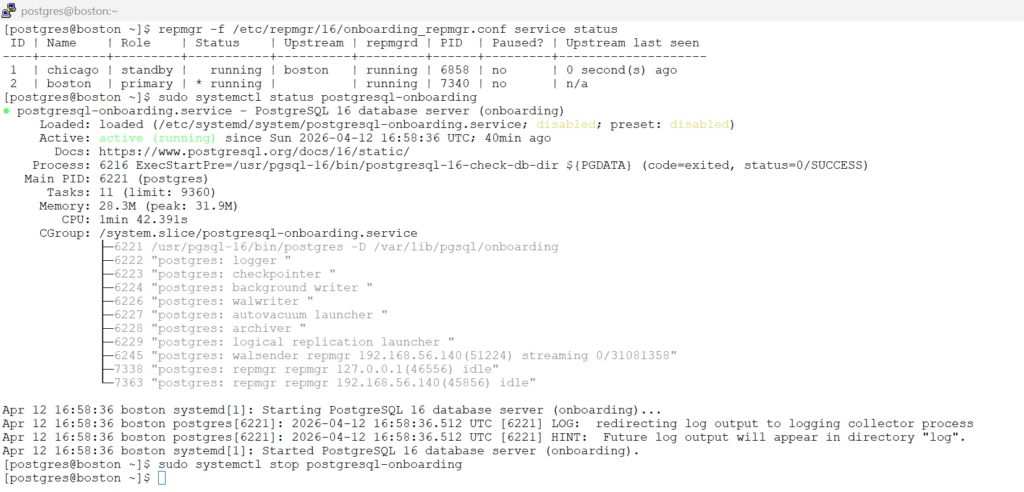
now after shutting down the primary database in boston.
monitor the logfile in chicago
tail -f /var/log/repmgr/repmgr.log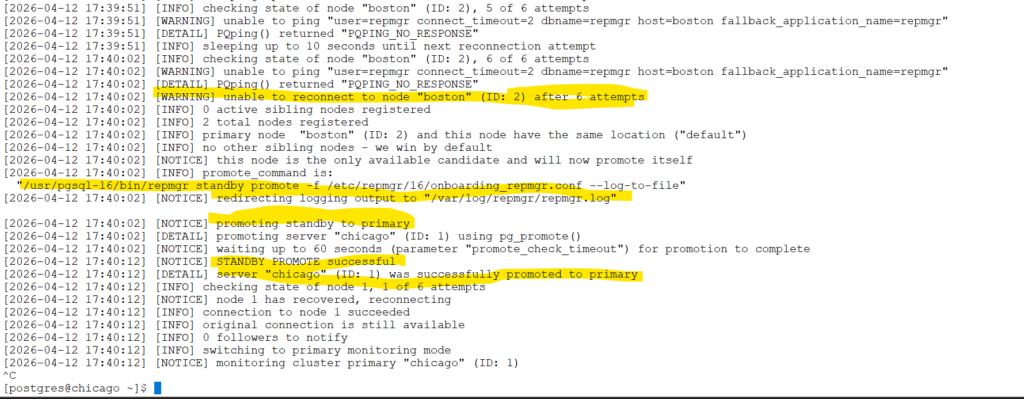
check the status of the database in chicago
# check is database is in recovery mode - expected to be false (f) - since we did failover automatic
 psql -U postgres -c "SELECT pg_is_in_recovery();"
Now that our Boston server has died, we’re running solely on our new primary.
But before you hit the “start” button on Boston, stop! Simply turning it back on will put the server into a “zombie state” (split-brain), where it tries to act as the master alongside our current active node. To fix this properly, we need to rebuild Boston as a standby. Luckily, because we enabled pg_rewind, we don’t have to copy the whole database over again; we can quickly sync the changes and get the cluster healthy again.
on chicago host as postgres user:
we still see boston is as registered as primary database.
repmgr -f /etc/repmgr/16/onboarding_repmgr.conf service status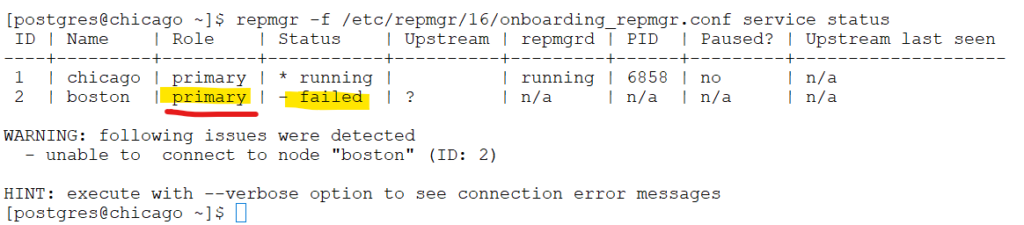
On Boston as postgres user:
repmgr node rejoin -f /etc/repmgr/16/onboarding_repmgr.conf -d 'host=chicago dbname=repmgr user=repmgr' --force-rewind --config-files=postgresql.auto.conf --verbose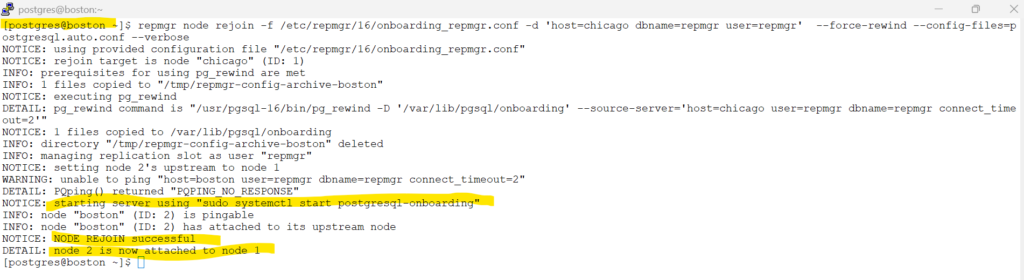
On boson / chicago as postgres user
Check for the repmgrd service.
Now you see the boston is now the standby database and connected to upstream chicago database.
repmgr -f /etc/repmgr/16/onboarding_repmgr.conf service status
Congratulations, You have practiced the failover of repmgrd in this tutorials