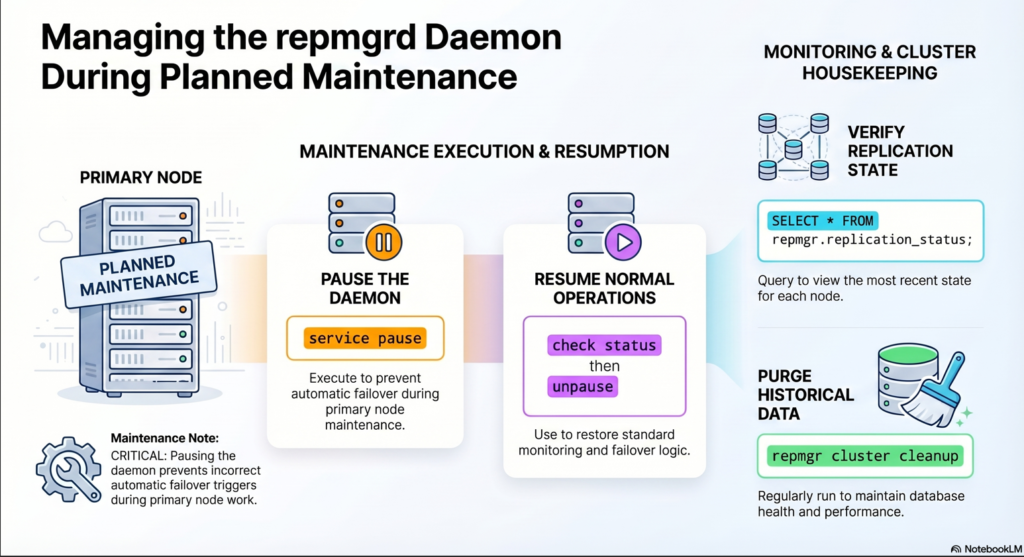
We will follow steps as defined in official documentation Chapter 14. repmgrd operation
repmgrd can now be “paused”, i.e. instructed not to take any action such as performing a failover.
This can be done from any node in the cluster, removing the need to stop/restart each repmgrd individually.
# to pause the repmgrd
repmgr -f /etc/repmgr/16/onboarding_repmgr.conf service pause

# to pause the repmgrd
repmgr -f /etc/repmgr/16/onboarding_repmgr.conf service status

# to start the repmgrd
repmgr -f /etc/repmgr/16/onboarding_repmgr.conf service unpausescreenshot

Storing monitoring data
The view replication_status shows the most recent state for each node, e.g.:
run it on either / both – chicago – boston .
psql -U postgres -d repmgr -c "\x" -c "SELECT * FROM repmgr.replication_status;"The interval in which monitoring history is written is controlled by the configuration parameter monitor_interval_secs; default is 2.
# at primary host
psql -U postgres -d repmgr -c "SELECT pg_size_pretty(pg_total_relation_size('repmgr.monitoring_history'));"As this can generate a large amount of monitoring data in the table repmgr.monitoring_history.
it’s advisable to regularly purge historical data using the repmgr cluster cleanup command;
use the -k/–keep-history option to specify how many day’s worth of data should be retained.
# to clean up keepign the number of days data . example: 1 days
repmgr -f /etc/repmgr/16/onboarding_repmgr.conf cluster cleanup -k 1
on both chicago and boston server
Schedule Cleanup Using Cron or pg_cron
add the cron jobs by crontab -e – it cleans up data older than 30 days
0 0 * * * /usr/bin/repmgr -f /etc/postgresql/16/main/repmgr.conf cluster cleanup -k 30