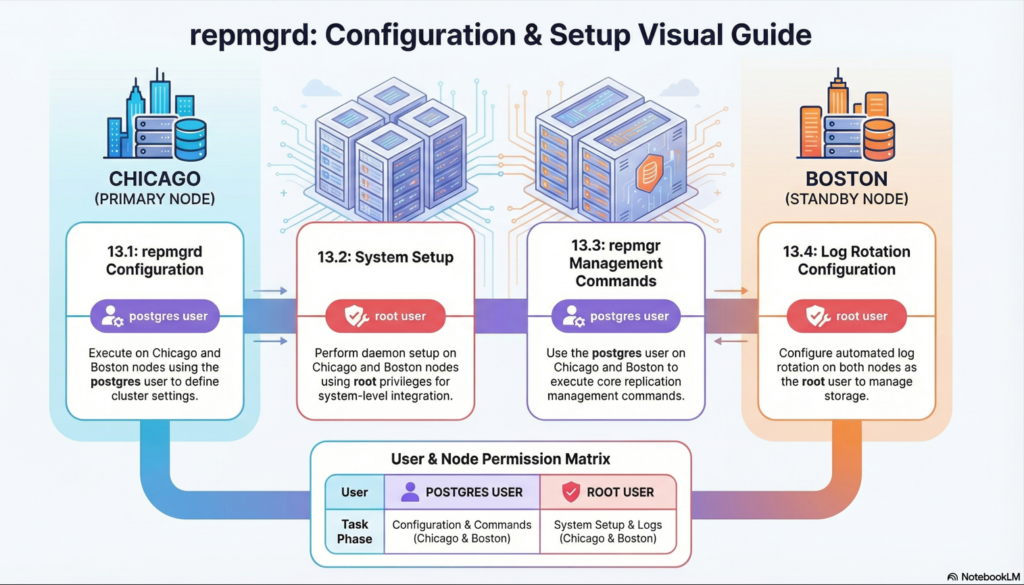
We will follow the steps as per official documentation Chapter 13. repmgrd setup and configuration
13.1. repmgrd configuration
On both Chicago and Boston – as postgres user
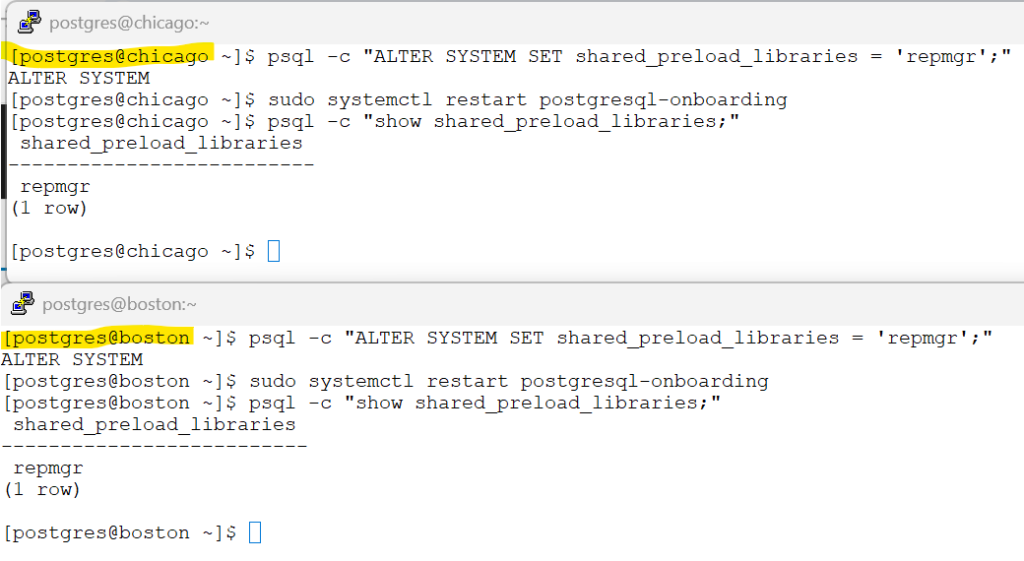
To use repmgrd, its associated function library must be included via postgresql.conf with below
Bash
# Preload the repmgr shared library (requires server restart)
psql -c "ALTER SYSTEM SET shared_preload_libraries = 'repmgr';"

# Restart the instance in both the servers
sudo systemctl restart postgresql-onboarding

# Verify if the library changes have taken effect
psql -c "show shared_preload_libraries;"screenshot
Steps for below sections
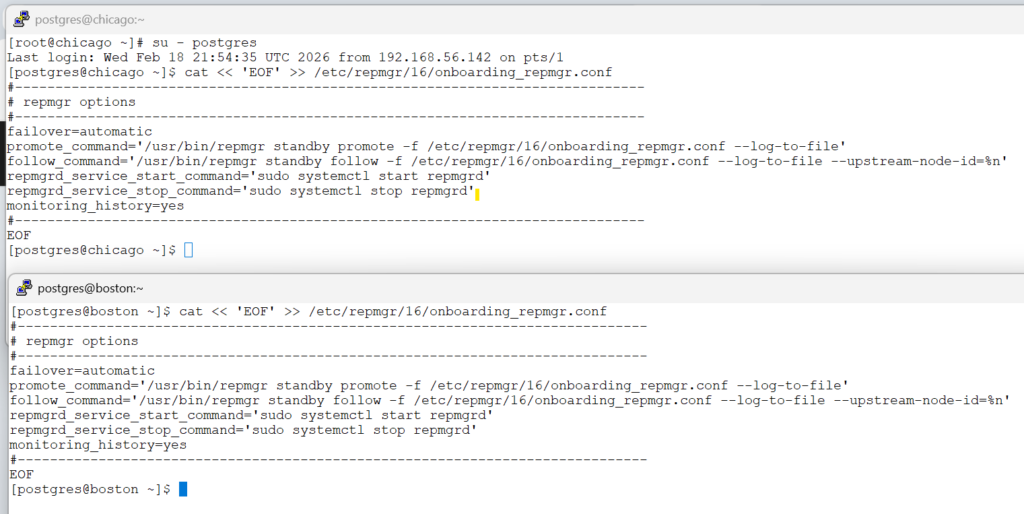
13.1.1. Required configuration for automatic failover
13.1.5. repmgrd service configuration
13.1.6. Monitoring configuration
Bash
cat << 'EOF' >> /etc/repmgr/16/onboarding_repmgr.conf
#------------------------------------------------------------------------------
# repmgr options
#------------------------------------------------------------------------------
failover=automatic
promote_command='/usr/bin/repmgr standby promote -f /etc/repmgr/16/onboarding_repmgr.conf --log-to-file'
follow_command='/usr/bin/repmgr standby follow -f /etc/repmgr/16/onboarding_repmgr.conf --log-to-file --upstream-node-id=%n'
repmgrd_service_start_command='sudo systemctl start repmgrd'
repmgrd_service_stop_command='sudo systemctl stop repmgrd'
monitoring_history=yes
#------------------------------------------------------------------------------
EOFscreenshot
For rest of the topics in the chapter 13 , please go through the official page tutorials.
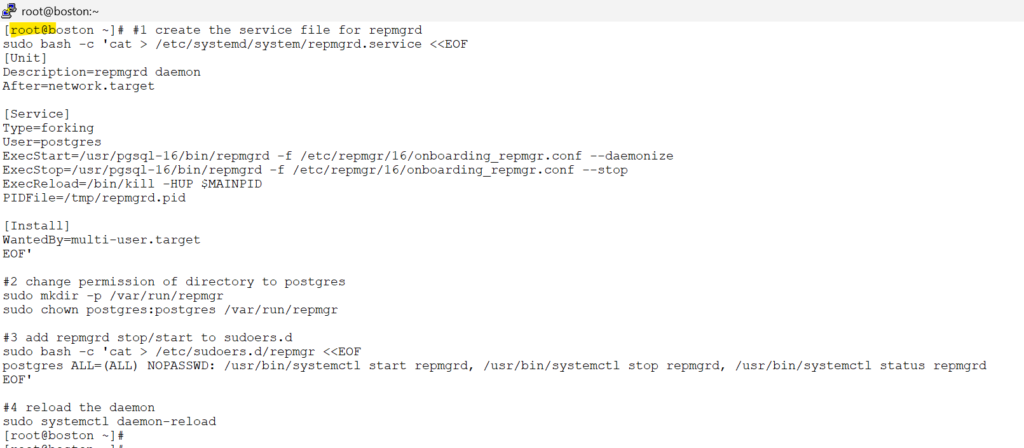
13.2 setup – repmgrd
on both chicago and boston as root user
Bash
#1 create the service file for repmgrd
sudo bash -c 'cat > /etc/systemd/system/repmgrd.service <<EOF
[Unit]
Description=repmgrd daemon
After=network.target

[Service]
Type=forking
User=postgres
ExecStart=/usr/pgsql-16/bin/repmgrd -f /etc/repmgr/16/onboarding_repmgr.conf --daemonize
ExecStop=/usr/pgsql-16/bin/repmgrd -f /etc/repmgr/16/onboarding_repmgr.conf --stop
ExecReload=/bin/kill -HUP $MAINPID
PIDFile=/tmp/repmgrd.pid

[Install]
WantedBy=multi-user.target
EOF'

#2 change permission of directory to postgres
sudo mkdir -p /var/run/repmgr
sudo chown postgres:postgres /var/run/repmgr

#3 add repmgrd stop/start to sudoers.d
sudo bash -c 'cat > /etc/sudoers.d/repmgr <<EOF
postgres ALL=(ALL) NOPASSWD: /usr/bin/systemctl start repmgrd, /usr/bin/systemctl stop repmgrd, /usr/bin/systemctl status repmgrd
EOF'

#4 reload the daemon
sudo systemctl daemon-reloadscreenshot
13.3 repmgr commands for repmgrd
on both chicago and boston as postgres user
Bash
# switch to postgres user
su - postgres
# start the repmgrd service
sudo systemctl start repmgrd
# check the status of repmgrd service
sudo systemctl status repmgrdscreenshot
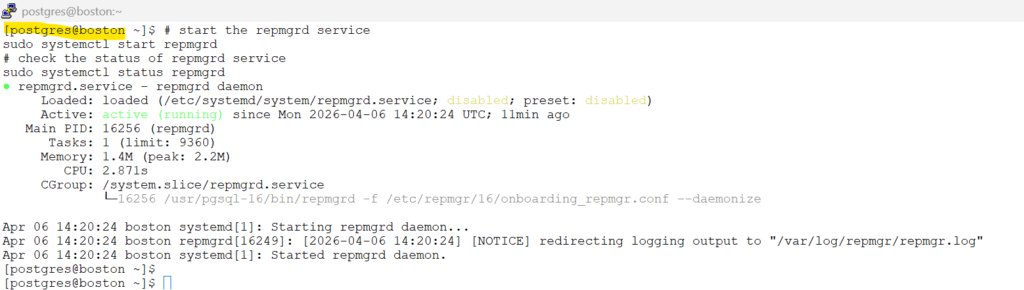
familiarize yourself with below repmgr commands for repmgrd
Bash
# repmgr service status
repmgr -f /etc/repmgr/16/onboarding_repmgr.conf service status

# dry run for pausing
repmgr -f /etc/repmgr/16/onboarding_repmgr.conf service pause --dry-run

# to pause the repmgr
repmgr -f /etc/repmgr/16/onboarding_repmgr.conf service pause

# repmgr service status
repmgr -f /etc/repmgr/16/onboarding_repmgr.conf service status
repmgr -f /etc/repmgr/16/onboarding_repmgr.conf node check

# to resume the repmgr
repmgr -f /etc/repmgr/16/onboarding_repmgr.conf service unpause

# repmgr service status
repmgr -f /etc/repmgr/16/onboarding_repmgr.conf service status
repmgr -f /etc/repmgr/16/onboarding_repmgr.conf node checkscreenshot
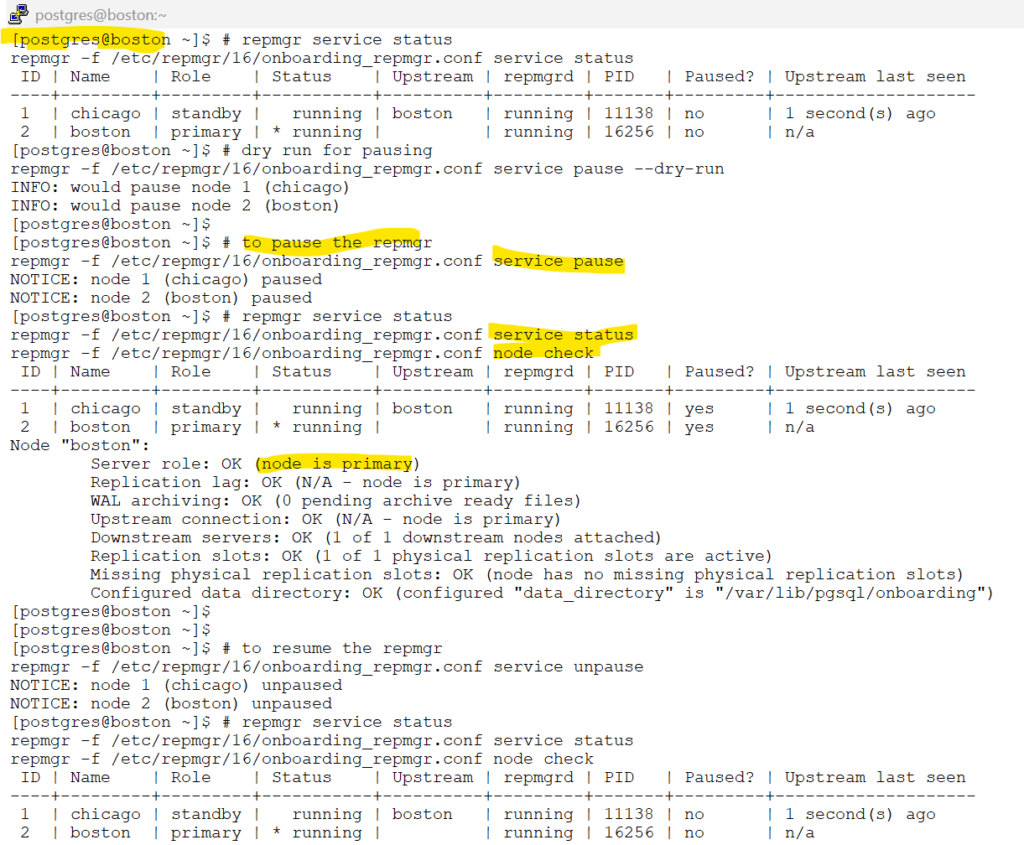
13.4. repmgrd log rotation
we will follow the steps as documented in 13.4. repmgrd log rotation
On both Chicago and Boston – as root user
Bash
sudo bash -c 'cat > /etc/logrotate.d/repmgr <<EOF
/var/log/repmgr/repmgr.log {
    missingok
    compress
    rotate 52
    maxsize 100M
    weekly
    create 0600 postgres postgres
    postrotate
        /usr/bin/systemctl reload repmgrd >/dev/null 2>&1 || true
    endscript
}
EOF'Bash
# simulate a dry run
sudo logrotate -d /etc/logrotate.d/repmgrscreenshot
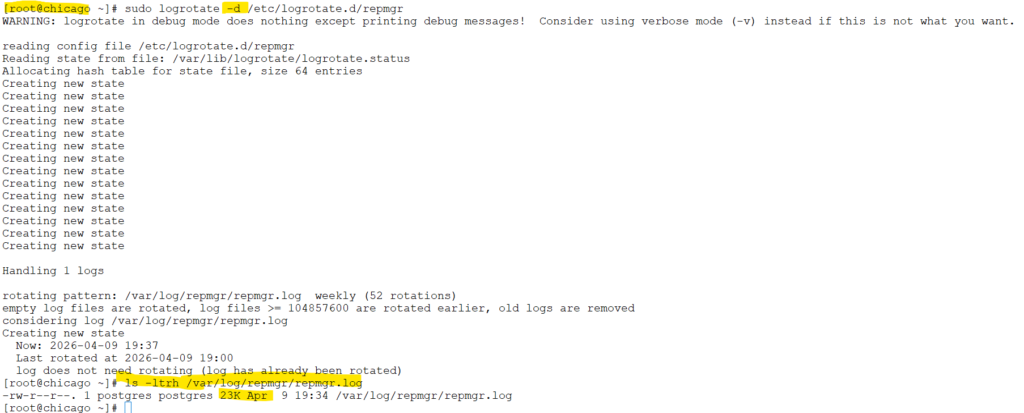
Bash
# simulate actual run
sudo logrotate -f /etc/logrotate.d/repmgrscreenshot
